Automatic accessibility code fixes for your Shopify store
EnableAll Code-Fix automatically repairs WCAG gaps directly in your Shopify code, improving accessibility compliance, boosting SEO, and helping assistive tech users reach checkout.
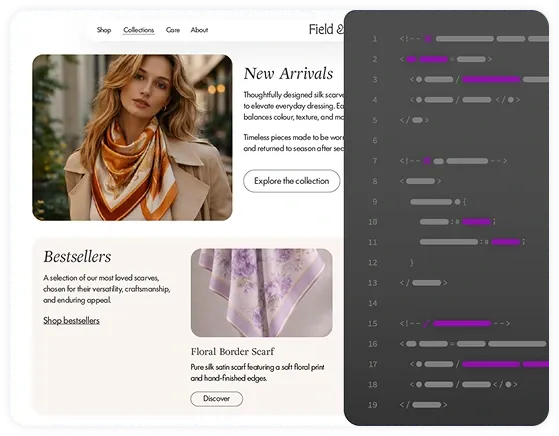

EnableAll Code-Fix automatically repairs WCAG gaps directly in your Shopify code, improving accessibility compliance, boosting SEO, and helping assistive tech users reach checkout.
Install in minutes • Always on • No coding required
• No heavy overlay scripts • No site slowdown • Preserves your code















Meet your always-on automatic accessibility developer.

Add EnableAll to your store in minutes. No coding required and no changes to your original code.

Improving how screen readers and keyboard navigation work, so blind customers and keyboard-only users can navigate your site and reach checkout.

As you add products or update pages, Code-Fix continues to apply improvements automatically, supporting ongoing alignment with ADA, EAA, WCAG, and other accessibility laws.
If your product images don't have correct alt text, visually impaired customers can't understand what’s on the screen, that means a frustrating experience and fewer products added to cart.
EnableAll's ecommerce-trained AI generates clear descriptive specific alt text based on your products color, material, style or distinguishing features, not generic labels like ‘image’ or ‘product’.
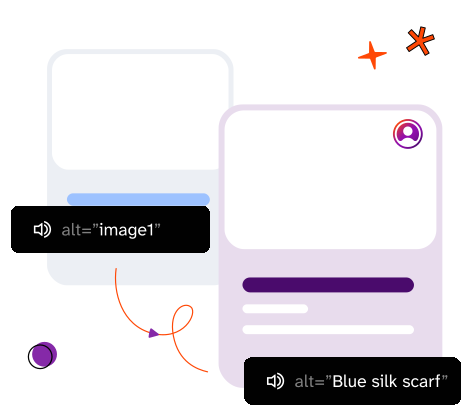
EnableAll also strengthens your SEO, helping your products stand out in a crowded marketplace. All generated image alt text is stored directly in your theme code without overwriting any existing descriptions.
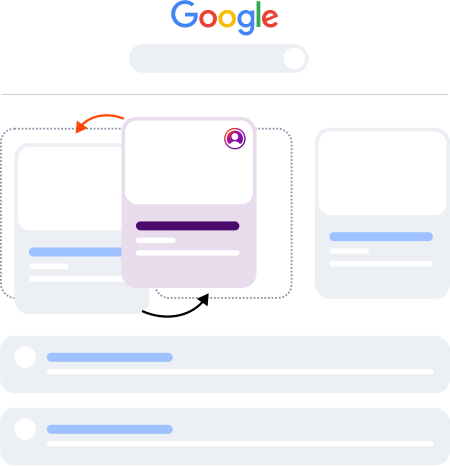
This enables search engines and AI platforms to accurately index and understand your images, increasing the likelihood of your products appearing in relevant results.
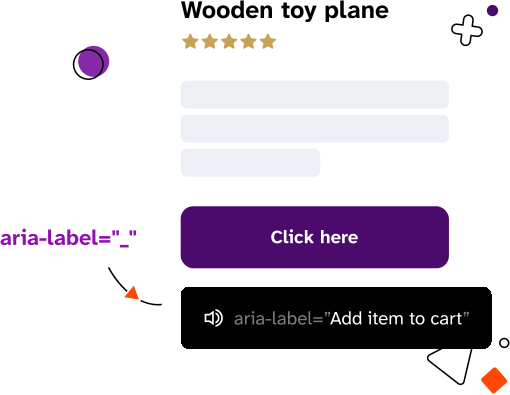
Buttons, links, and other interactive elements that help customers check out, like your “Add to cart” button, can’t be understood by blind customers unless they have descriptive ARIA labels. Without them, screen readers announce vague text like “unnamed button 1” or “link 1,” making checkout frustrating or even impossible. These gaps are hard to spot visually and easily introduced as your site grows.
EnableAll automatically adds and maintains ARIA labels in your code, helping screen reader users understand what each element does and move through checkout with greater confidence.
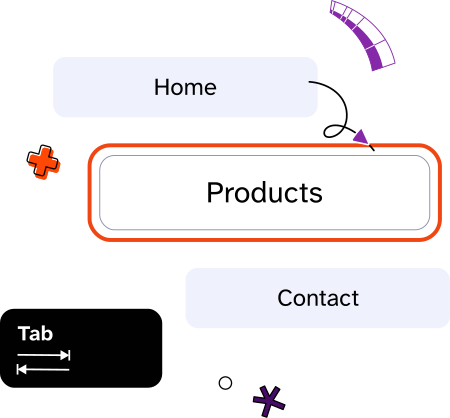
For customers who rely on a keyboard, navigating without skip links can mean getting stuck in long pages and tabbing through the same menus again and again just to reach the page content they want. That friction quickly becomes exhausting.
EnableAll automatically inserts skip links so keyboard-only users can jump past repetitive navigation and move straight to products and checkout.

In addition to automatic code fixes, EnableAll gives visitors a front-end toolbar to personalize how they browse your site. Helping you further improve compliance, show inclusive values, and turn more browsers into buyers.

Automatically scans your site for accessibility gaps and provides clear, actionable fixes, giving you ongoing visibility into your site's accessibility (coming soon).

EnableAll has been a powerful way to strengthen our online accessibility and inclusion, while maintaining a premium retail experience. As legal expectations around digital access continue to grow, EnableAll has given us greater confidence that our site works better for more people.

EnableAll went above and beyond to ensure the product was correctly installed on our stores. The accessibility features are more advanced than other platforms, and we're already noticing an impact on our accessibility score. The alt text backfilling functionality was also a game changer for us.

It has been a pleasure to work with EnableAll to make our site accessible for all. Inclusivity is at the heart of our brand and we aim to, wherever possible, ensure that we practice this across our business. Installing EnableAll on our site was seamless and easily customizable to our brand look and feel.

EnableAll stood out to us for its rich, well-designed feature set and its clear focus on ecommerce use cases. On top of that, the mission and story behind the brand gave us real confidence that this is a product built for the long term.

EnableAll has been a phenomenal partner in helping us secure our digital storefront. Their engineering team audited our theme and provided manual, surgical code fixes to resolve the root issues. I highly recommend them if you need genuine accessibility remediation and proactive support.
EnableAll has it been designed perfectly. Easy to set up, intuitive front end for users and a very receptive helpful team that helped me get the best performance out of the App. I finally found a solution and Team that can deliver what we need. They have made compliance easy.

EnableAll took a huge pressure off of us, and because it was helping with our alt text and our SEO ranking, we knew that we had an extra little uplift in the reach that we had online. Such an easy plug and play option to increase accessibility!

It’s definitely given me peace of mind, and it’s helped convert customers. It’s made it easier for people to decide whether or not they want to spend their money with us.

Having the app on our website is a no brainer partly due to selling into the EU and US where it is now a requirement but also it helps customers navigate our website and makes shopping easier.

I love this app, it makes my website far more accessible with loads of options for people to pick and choose what they need. It hasn't slowed the site down, the set up was easy and support really quick.

An amazing app to support our customer needs and requirements. Smooth app that works on all devices. It is law now to provide this function, we are so pleased that we purchased this from EnableAll. Thank you
Easy to set up, intuitive front end for users and a very receptive helpful team that helped me get the best performance out of the app. I finally found a solution and team that can deliver what we need. They have made compliance easy. Thank you everyone involved at EnableAll.

This has helped us expand sales to the USA with more confidence and peace of mind. And our customers love it, we’re confident it improves experience and conversion. Our site’s stayed fast compared to other tools we’ve tried and our SEO scores have improved too!
In just a few clicks.