EnableAll logo

What is WCAG and why does it matter for your website?

If you run a website, WCAG affects you. It sits behind virtually every accessibility law in force today, from the US Americans with Disabilities Act to the EU's European Accessibility Act. And yet most website owners have never had it explained in plain English.
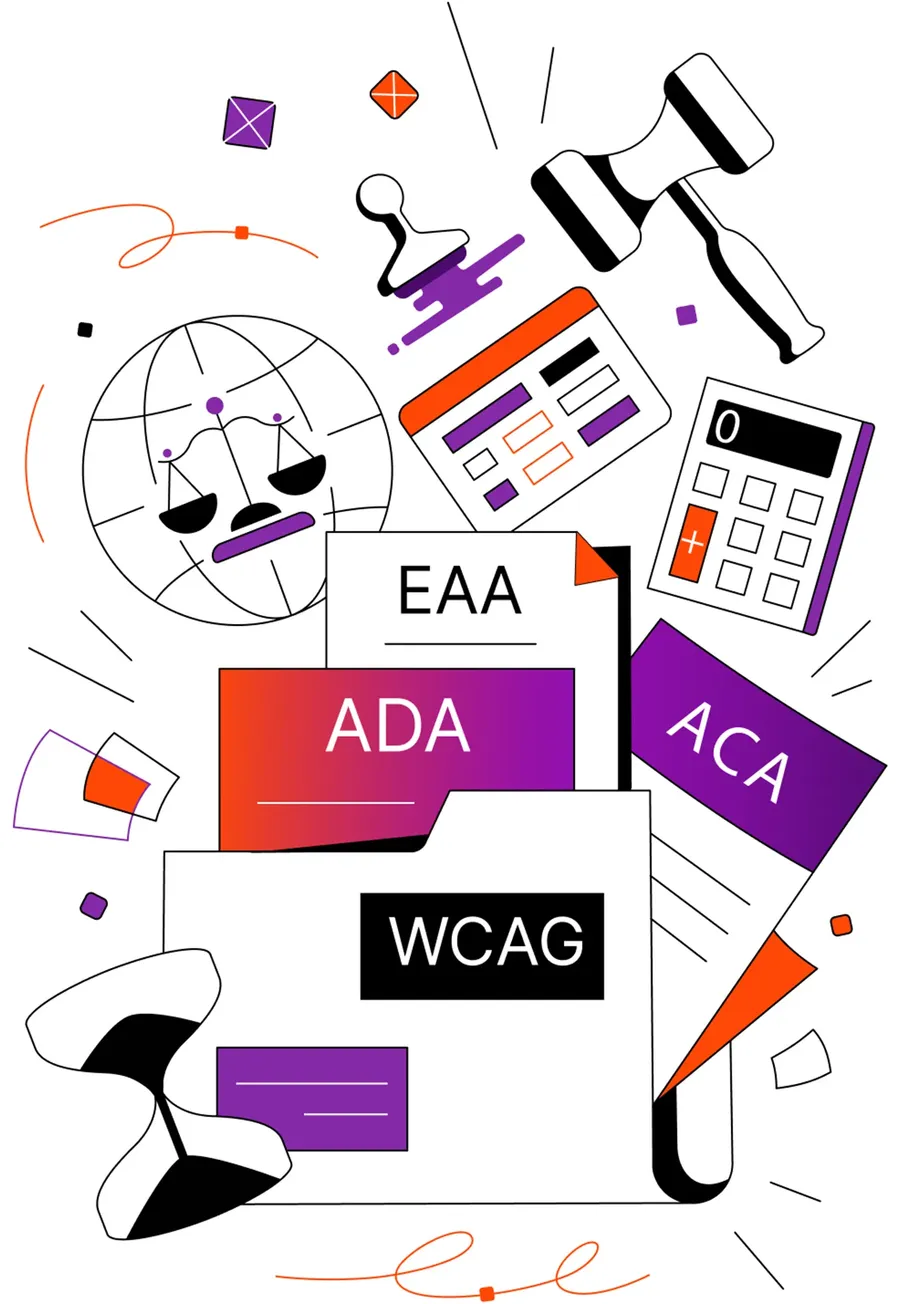
Illustration representing digital accessibility compliance and regulations. A folder labeled “WCAG” contains documents labeled “ADA,” “ACA,” and “EAA,” surrounded by a globe with scales of justice, a judge’s gavel, a calculator, an identification card, and an hourglass. The design uses purple, orange, black, and white accents to symbolize legal standards, audits, accessibility requirements, and regulatory compliance.

What is WCAG?

WCAG (Web Content Accessibility Guidelines) is a set of internationally recognized technical standards from the World Wide Web Consortium (W3C), published through its Web Accessibility Initiative (WAI).

Its purpose is to make digital content usable by everyone, including people who are blind or have low vision, are deaf or hard of hearing, have cognitive disabilities like dyslexia or ADHD, or navigate by keyboard, switch device, or voice rather than a mouse. When a law says a website "must be accessible," it almost always means it must meet WCAG.

The four POUR principles

Every WCAG requirement traces back to one of four core principles, known as POUR. Think of these as the four questions every website needs to be able to answer yes to.

Perceivable

Can people take in the information on your site? This covers things like alt text on images so that a person using a screen reader knows what they are looking at, captions on video for someone who is deaf or hard of hearing, and sufficient color contrast so that a person with low vision or color blindness can read your text without straining.

Operable

Can people use your site? Everything on a website needs to work without a mouse. A person navigating by keyboard only, or using switch access due to a motor impairment, needs to be able to reach every button, link, and form field. Content should not flash in ways that could trigger seizures in people with epilepsy.

Understandable

Does your site make sense? Text needs to be readable. Pages need to behave predictably. Forms need clear labels so that someone with a cognitive disability or anxiety does not get lost or confused. Error messages need to explain what went wrong and how to fix it, not just flash red and leave people guessing.

Robust

Does your site work across different tools and technologies? A person using a screen reader, a braille display, or voice control software needs your site to function just as reliably as it does for someone using a standard browser. That requires clean, standards-compliant code underneath the surface.

WCAG levels

assist bar icon logo with a ciricle and human figure in the middle
Level A

Covers the most critical barriers and is the bare minimum for accessibility. It is a starting point, but not sufficient for legal compliance in most markets.

assist bar icon logo with a ciricle and human figure in the middle
Level AA

The standard required by virtually every global accessibility law. It covers the widest range of disabilities and real-world use cases, and is the target for all websites.

assist bar icon logo with a ciricle and human figure in the middle
Level AAA

The highest level of conformance, going beyond what most laws require. It is not always feasible for every type of content, but is recommended for platforms where accessibility is the primary purpose.

WCAG 2.2 (AA) in practice

Compliance is measured against specific success criteria. At Level AA, your website needs to meet requirements like these. Many of these issues can be identified with automated scanning tools. Others, particularly interaction-based and cognitive barriers, require manual testing with real assistive technologies.

Images

All images have descriptive alt text so that a person using a screen reader understands what they are seeing, not just "image123.jpg."

Text

Text has a color contrast ratio of at least 4.5:1 against its background so that people with low vision or color blindness can read it comfortably.

Keyboard

Every function on the site works via keyboard alone for users with motor impairments, repetitive strain injuries, or who simply prefer keyboard navigation.

Forms

Form fields have clear, programmatically associated labels so that someone using a screen reader knows exactly what they are being asked to fill in.

Page titles

Pages have descriptive titles and a logical heading structure so that people navigating by landmark or heading can find what they need quickly.

Errors

Error messages explain what went wrong and how to correct it, not just flag that something is wrong.

Videos

Videos have captions and audio descriptions for people who are deaf, hard of hearing, or who process information better through text.

Focus

Interactive elements have a visible focus indicator so that keyboard users always know where they are on the page.

Touch

Touch targets are large enough to tap accurately on mobile, which matters especially for people with motor impairments or tremors.

Beyond compliance

Real people are being left out right now. 71% of people with disabilities will leave an inaccessible website without ever telling you why. They do not file a complaint or send an email. They just leave. That means a person with dyslexia who cannot read your text clearly, a keyboard-only user whose focus gets trapped in a navigation menu, or someone with low vision who cannot distinguish your text from its background is quietly walking away from your site every single day.

These are not edge cases. With 1 in 4 people living with a disability and 1 in 5 being neurodivergent, a significant portion of anyone's audience is affected.

Curious how much revenue your site could be missing out on? Use the EnableAll ROI calculator to find out.

Illustration of a globe representing a global company or international business. The continents are shown in a purple-to-red gradient, surrounded by orange circular motion lines and small geometric accents. An orange award ribbon overlaps the lower-left side of the globe, symbolizing achievement, certification, or global recognition. The design uses a clean, modern style on a light gray background.

The legal landscape is moving fast

The EAA became enforceable in June 2025. ADA Title III litigation continues at pace. Laws in Canada, the UK, and across the EU are tightening. Websites of every kind, not just large enterprises, are in scope.

Addressing accessibility barriers now supports your efforts to reduce legal risk before enforcement catches up with you.

Illustration representing digital accessibility compliance and regulations. A folder labeled “WCAG” contains documents labeled “ADA,” “ACA,” and “EAA,” surrounded by a globe with scales of justice, a judge’s gavel, a calculator, an identification card, and an hourglass. The design uses purple, orange, black, and white accents to symbolize legal standards, audits, accessibility requirements, and regulatory compliance.

Accessibility is good for everyone

Captions help people watching video in noisy environments. High contrast helps people reading in bright sunlight. Keyboard navigation helps power users who are faster without a mouse. Clear error messages help anyone who makes a typo on a form. Many of the improvements that help people with disabilities make the experience better for everyone

Illustration showing EnableAll as a secure, robust accessibility app for enterprise brands

It strengthens your SEO

Accessible websites are better built websites. Clean semantic code, descriptive alt text, logical heading structures, and meaningful link text are all things search engines and AI crawlers reward. Improving accessibility and improving organic search performance often go hand in hand.

Illustration showing how EnableAll improves sales, conversions, SEO and loyalty

How EnableAll works

Make your Shopify store instantly more inclusive, compliant, SEO-optimized, and conversion-friendly.

Assist  bar logo with arrows opposite dirrection in a circle
Automatic Code-Fix

Your always-on accessibility developer that fixes WCAG gaps in your code to make your site work with assistive tech.

assist bar icon logo with a ciricle and human figure in the middle
Website Assist-Bar

Your helpful online store assistant that turns browsers into buyers with accessibility features that show you care.

Accessibility scanner icon
Auto-Audit scanner

Your automated accessibility checker for ongoing ADA and EAA compliance monitoring.

expert service logo with a hand holding a star in the middle of a circle
Expert Services

Your dedicated accessibility specialists for custom testing, audits, and accessibility fixes.


Frequently asked questions about WCAG

Disclaimer: This content is for informational purposes only and does not constitute legal advice.We recommend consulting a qualified legal professional to understand your specific obligations under accessibility laws.

Reduce legal risk. Boost SEO. Increase conversions.

In just a few clicks.

EnableAll accessibility widget icon
Facegym logo
Unhidden logo
BuDaGirl logo
Sabatino logo
Trend Tonic logo
Antler logo